Picnob: What It Is, How It Works, and What You Should Know
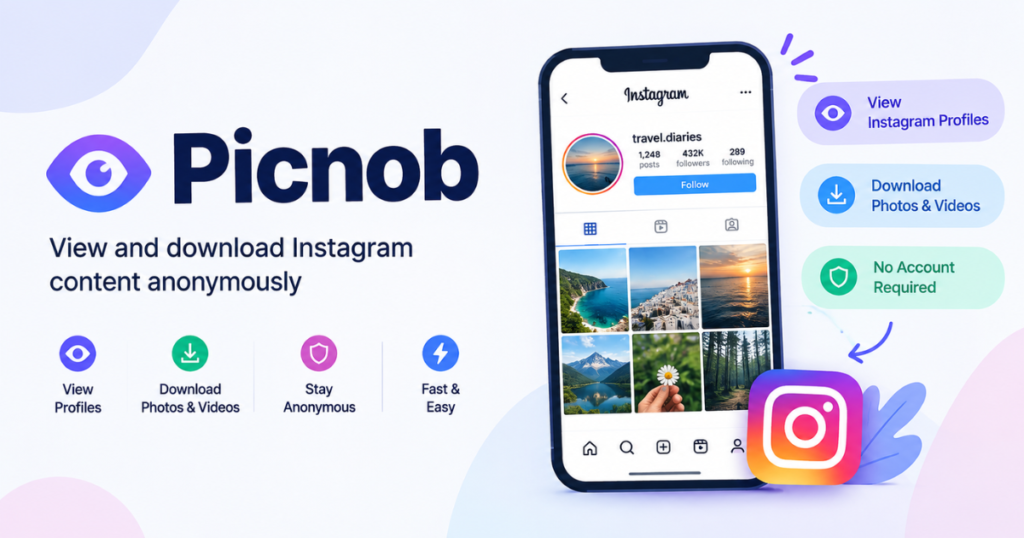
Picnob is a third-party web service associated with browsing and downloading publicly available Instagram content without requiring an Instagram login. The service has been marketed around anonymous viewing of profiles, photos, videos, Stories, and Reels.
There is one important update to understand before using it: the Picnob-branded site at picnob.com currently says the website has moved to Pixnoy.com. The same page also states that the service is not affiliated with Instagram and supports public content rather than private Instagram accounts.
That makes domain verification, privacy, and realistic expectations more important than simply asking whether Picnob is an Instagram viewer.
What Is Picnob?
Picnob is a browser-based third-party Instagram viewing and downloading service. Its current Picnob-branded page describes tools for searching public Instagram profiles or URLs, viewing available public photos, videos, Reels, Stories and profile information, and downloading certain media without logging into Instagram. The same page says private accounts are not supported and that Picnob is not officially connected with Instagram.
What Happened to the Picnob Website?
This is one of the most important things to know when searching for Picnob today.
The current picnob.com page displays a notice saying that the site has changed and identifies www.pixnoy.com as the new website. A search result for the Picnob/Pixnoy relationship similarly states that picnob.com has been redirected to Pixnoy.com.
Because several unrelated websites also use the Picnob name in search results, do not assume that every website calling itself “Picnob” is the same service.
A sensible rule is simple: check the domain before entering any information, and never give a third-party viewer your Instagram password.
Meta has specifically warned users against providing Facebook or Instagram credentials to sites and apps outside official login channels or authorized login flows.
What Can Picnob Do?
The features described on the current Picnob-branded website center on publicly accessible Instagram material.
View public Instagram profiles
The service allows users to search for Instagram usernames and view publicly available profile information and posts. The Picnob page describes profile information such as post history, follower counts, biography text, and other public information.
This can be useful when you want to inspect publicly available content without opening an Instagram session.
Browse photos and videos
Picnob describes support for viewing Instagram photographs and videos through a browser.
The exact content that appears can depend on whether the original Instagram material is still available and whether the third-party service can retrieve it.
View Stories and Reels
Stories and Reels are among the content types promoted on Picnob-branded pages.
However, availability should not be treated as guaranteed. Content can disappear, accounts can change privacy settings, or Instagram can restrict access.
Download available media
Downloading is another major reason people search for Picnob.
The service describes downloading Instagram photos, videos, and Reels, including high-resolution media on its current page.
A useful distinction is that being technically able to download something does not automatically mean you have permission to republish or commercially reuse it.
Does Picnob Require an Instagram Account?
The Picnob-branded service says no Instagram login is required. Its current page states that users can search public Instagram content without registering or signing into Instagram.
That makes the service different from using Instagram directly.
For example, a typical workflow might look like this:
Instagram username or URL → Picnob/Pixnoy search → available public content → view or download
You should still distinguish between not logging into Instagram and being completely anonymous online. Your browser, network, device, cookies, advertising systems, or other services may still process information about your visit.
So “no Instagram account required” is a more precise claim than “completely invisible on the internet.”
Can Picnob View Private Instagram Accounts?
According to the current Picnob-branded website, no.
Its FAQ states that the service supports public accounts and public content only. It also explains that content may fail to load when an account is private, content has been deleted, or Instagram has imposed temporary restrictions.
This distinction matters because search results for Instagram viewer tools sometimes contain exaggerated claims about “unlocking” private profiles.
A third-party viewer should not be treated as a legitimate method for bypassing someone’s Instagram privacy settings.
Public and private content are different
| Content type | Expected access |
| Public Instagram profile | May be viewable |
| Public photo | May be viewable |
| Public Reel | May be viewable |
| Public Story | May be available when supported |
| Private profile | Not supported by Picnob’s stated policy |
| Deleted content | Usually unavailable |
| Content restricted by Instagram | May fail to load |
The safest interpretation is to treat Picnob as a public-content viewer, not a private-account unlocking tool.
Is Picnob Anonymous?
Picnob is commonly described as an anonymous Instagram viewer because users can access its stated functionality without logging into Instagram.
But there is an important technical distinction.
Anonymous from your Instagram account
This can mean that you are not interacting with Instagram through your own logged-in profile when using the third-party site.
Completely anonymous online
That is a much broader claim and should not be assumed.
A website can potentially use normal web technologies such as cookies, analytics, server logs, advertising systems, or security tools. Unless you have independently verified a site’s complete data-handling practices, you should avoid assuming that “anonymous” means no information is ever processed.
The current Picnob-branded page claims that it does not store browsing history or IP information. Those are statements made by the service itself rather than independent verification.
For privacy-sensitive use, read the site’s current privacy policy rather than relying only on a marketing description.
Is Picnob Safe to Use?
The answer depends partly on which Picnob-branded domain you are visiting and what information you provide.
One of the biggest safety rules is straightforward:
Never enter your Instagram password into a third-party viewer simply to view public content.
Meta has warned that websites and apps offering third-party Instagram-related services can be used to collect credentials, and it advises users to provide passwords only through official Facebook or Instagram login channels or authorized login experiences.
Basic safety checklist
Before using any Picnob-branded service:
- Verify the domain carefully.
- Do not enter your Instagram password.
- Do not install unknown browser extensions or applications.
- Treat unexpected download buttons and pop-ups cautiously.
- Keep your browser and security software updated.
- Avoid providing unnecessary personal information.
- Check the site’s privacy and terms pages.
- Be careful with downloaded files.
These precautions are useful because third-party services do not have the same relationship with your account as Instagram itself.
How to Use Picnob
The general process described by the Picnob-branded website is simple.
Step 1: Open the current service domain
The Picnob-branded picnob.com page currently directs visitors toward Pixnoy.com. Check the domain carefully before proceeding.
Step 2: Search for a public Instagram profile
Enter an Instagram username or use the supported Instagram URL search field.
The current Picnob page says it supports searches using a username or an Instagram post URL.
Step 3: Review the available content
Depending on availability, you may see public profile information, photos, videos, Reels, Stories, or other public material.
Step 4: Download only when appropriate
When a download option is available, save the file to your device.
Before publishing or redistributing it elsewhere, consider who owns the content and whether you have permission to reuse it.
Why Picnob May Not Work
A third-party Instagram viewer can stop displaying content for several reasons.
The account is private
This is the simplest explanation. The Picnob-branded site says it supports public accounts, not private ones.
The post or Story was deleted
If the original Instagram material no longer exists, a third-party viewer may not be able to retrieve it.
Instagram changed access conditions
Third-party services depend on access to content made available by another platform. Changes to Instagram’s systems can affect whether those services continue to work.
Meta has a documented history of enforcing restrictions against unauthorized automated data collection and clone sites involving Instagram.
You are using a different Picnob domain
Because multiple websites currently appear under the Picnob name, a result in Google may not necessarily represent the same service referenced by older articles.
Temporary technical problems
Server errors, traffic, browser problems, network restrictions, or broken media links can also cause failures.
Picnob vs. Instagram
Picnob and Instagram serve different purposes.
| Feature | Picnob-type viewer | |
| Instagram account | Not required for stated public-content access | Account supports full platform use |
| Main purpose | Viewing/downloading public content | Full social network experience |
| Likes and comments | Not the main function | Yes |
| Direct messaging | No | Yes |
| Private-account access | Not supported according to Picnob’s current page | Available to approved followers |
| Content publishing | Not its primary function | Yes |
| Third-party service | Yes | Official Instagram platform |
| Social interactions | Limited | Full feature set |
The key difference is that a third-party viewer is generally focused on accessing publicly available material, whereas Instagram is the platform where creators publish, interact, communicate, and manage account privacy.
Picnob and Copyright: What Should You Know?
Downloading a file and owning the copyright are two different things.
WIPO explains that works published online, including material posted on social media, can remain protected by copyright. Being publicly visible does not automatically put a work in the public domain.
The U.S. Copyright Office similarly notes that original photography can receive copyright protection and that copyright owners have rights concerning copying, distribution, adaptation, and public display.
That means downloading an Instagram image for personal reference is different from:
- Re-uploading it to your own page
- Using it in advertising
- Adding it to a commercial website
- Selling the image
- Removing attribution and presenting it as your own work
Rules vary depending on jurisdiction and circumstances, so permission or an appropriate license is the safer approach when you plan to reuse someone else’s material.
Common Mistakes to Avoid
Mistake 1: Assuming every Picnob result is the same service
The name appears across multiple websites. Always verify the domain.
Mistake 2: Giving away your Instagram password
You should not need to hand a third-party viewer your password just to access public material. Meta explicitly warns against entering credentials into unauthorized services.
Mistake 3: Believing “anonymous” means totally untraceable
It generally refers to not using your Instagram account for the viewing session. It should not automatically be interpreted as complete internet anonymity.
Mistake 4: Trying to bypass a private profile
A private account is intentionally restricted. Picnob’s current page says private accounts are not supported.
Mistake 5: Reusing downloaded content without checking rights
A download button does not transfer ownership or automatically grant publishing rights.
Mistake 6: Installing software you do not need
A browser-based service should not require you to install an unknown executable simply to view a public Instagram post.
When Does a Third-Party Instagram Viewer Make Sense?
A third-party viewer may be useful when the task is straightforward and public, such as:
- Checking a publicly available profile
- Viewing public posts without opening an Instagram session
- Finding publicly available media
- Saving content for permitted personal use
- Researching publicly visible social content
It is a poor fit for situations where you need:
- Private-account access
- Direct messaging
- Posting content
- Account management
- Instagram analytics available to account owners
- Guaranteed access to every Instagram post or Story
In those cases, the official Instagram platform is the more relevant environment.
Final Takeaway
Picnob is best understood as a third-party Instagram viewing and downloading service centered on publicly available content. The current Picnob-branded website says that picnob.com has moved to Pixnoy.com, does not require an Instagram login for its stated public-content features, and does not support private accounts.
The most important precautions are simple: verify the domain, never give a third-party viewer your Instagram password, do not assume “anonymous” means complete online anonymity, and respect the rights attached to downloaded photos and videos.
The service can be useful for public-content browsing, but expectations should remain realistic. Instagram controls its own platform, while Picnob-type services operate outside it and may change or stop working as access conditions change.
FAQs
What is Picnob?
Picnob is a third-party web service designed around viewing and downloading publicly available Instagram content without requiring an Instagram login for its stated features. Its current Picnob-branded site says it supports public content rather than private accounts.
Is Picnob still available?
The Picnob-branded picnob.com website currently says the service has moved to Pixnoy.com. Because multiple websites use the Picnob name, users should verify the domain before using a service.
Does Picnob require an Instagram login?
No, the current Picnob-branded website states that users can access its public-content features without logging into Instagram.
Can Picnob view private Instagram accounts?
No, the current Picnob-branded site says it supports only public accounts and content. Claims by other websites about unlocking private profiles should not be treated as evidence that Picnob can legitimately bypass Instagram privacy settings.
Is Picnob safe?
Safety depends on the specific domain and how you use the service. The most important precaution is never to provide your Instagram password to an untrusted third-party viewer; Meta advises users to enter credentials only through official or authorized login experiences.
Can Picnob download Instagram photos and videos?
The Picnob-branded site describes downloading photos, videos, and Reels from publicly available content. Availability can vary depending on the source content and current access conditions.
Does downloading an Instagram photo give me permission to reuse it?
No. Downloading a copy does not automatically transfer copyright ownership or give you unrestricted redistribution rights. Copyright rules vary by jurisdiction and circumstance. WIPO notes that material published online and on social media may remain protected by copyright.
Why is Picnob not showing a profile?
Common reasons include a private account, deleted content, temporary platform restrictions, a technical problem, or using a different Picnob-branded domain. The current Picnob page specifically lists private accounts, deleted content, and temporary Instagram restrictions among possible reasons.
You May Also Like Imginn